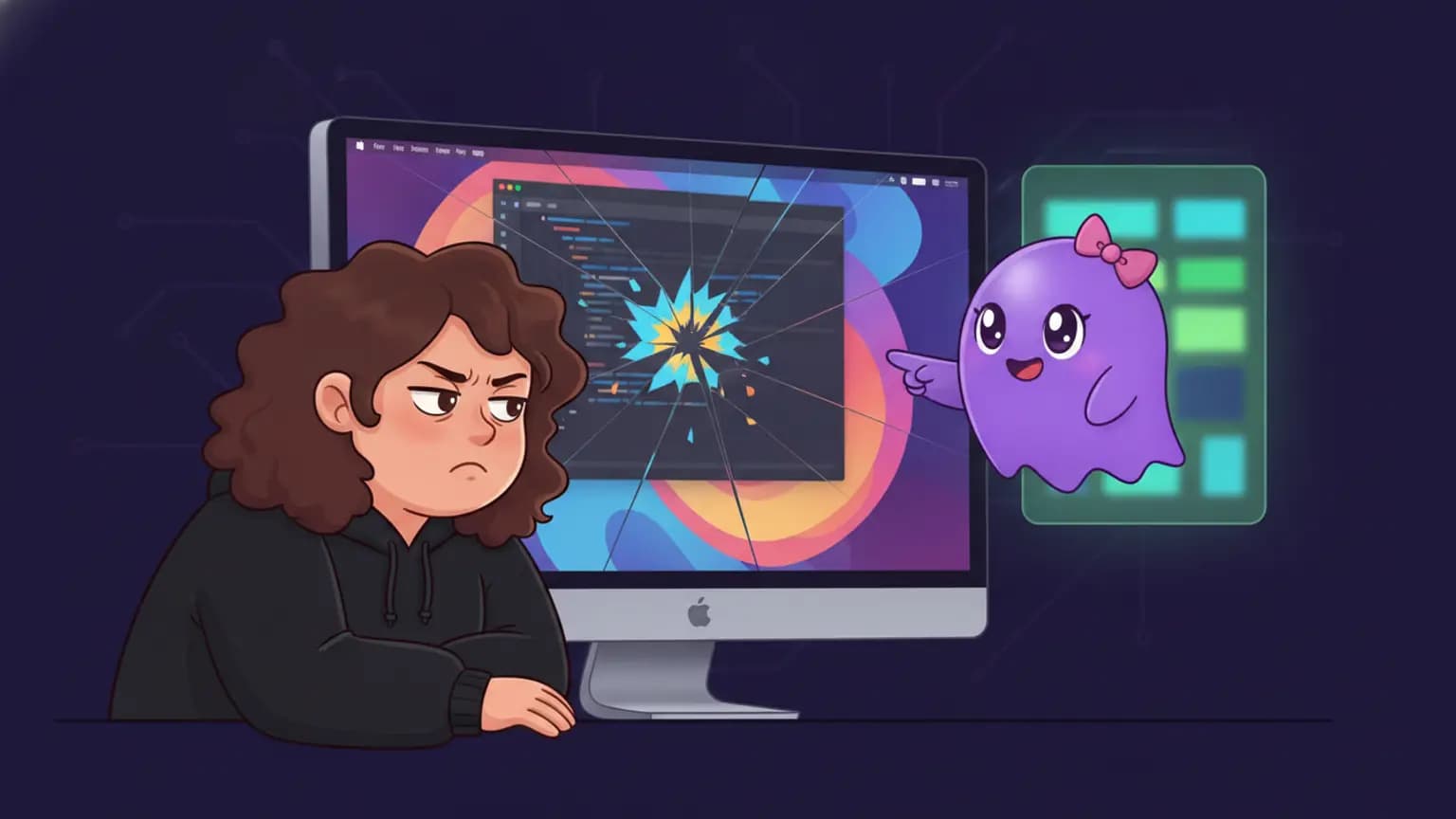
You update the Codex app on your Mac, click the icon, and the window does appear. A second later the app closes itself. No error on screen, just the Dock icon bouncing and, in the Console, this line:
*** Terminating app due to uncaught exception 'NSUnknownKeyException',
reason: '[<NSTaggedPointerString> valueForUndefinedKey:]:
this class is not key value coding-compliant for the key Desktop.'
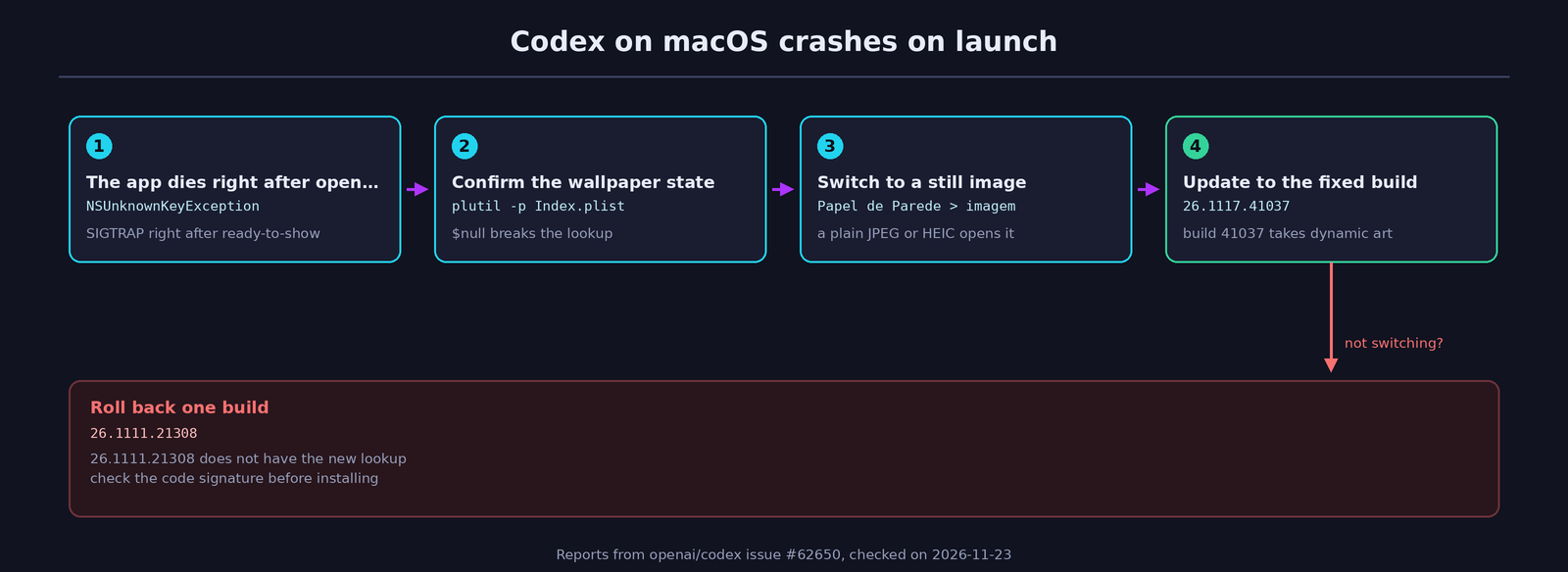
The process dies with SIGTRAP on the main thread, right after window ready-to-show. The regression landed in build 26.1117.31558 (build 29513) and blocks the app before anything useful happens. Issue #62650 went past 50 comments since 2026-11-20, with reports on Intel and Apple Silicon Macs, from macOS 15 to 27.
The cause is not your install. It is your wallpaper. This guide shows how to confirm it in a minute, how to open the app today, and how to leave the broken build behind.
Why does Codex quit by itself right after opening?
Because the app reads the macOS wallpaper configuration at startup to tint the window with the background color, and that read throws when macOS stores a value in an unexpected shape.
The observeMacWallpaper routine inside app.asar opens ~/Library/Application Support/com.apple.wallpaper/Store/Index.plist and looks up three paths in order: Displays.<uuid>.Desktop, AllSpacesAndDisplays.Desktop and SystemDefault.Desktop. When the wallpaper is dynamic (an aerial, a video, a solid color, or a third-party app), macOS writes AllSpacesAndDisplays as the literal string "$null" instead of a dictionary.
The code then asks valueForKeyPath: for Desktop on an NSString. Cocoa cannot walk a string as if it were a dictionary, throws NSUnknownKeyException, and takes the process down. The same thing happens when the missing path is url: the third-party app stores its configuration as text and the lookup breaks the same way.
One caveat: [OI] had not published an official note on the case as of this article. The diagnosis above comes from the reports in the issue, which agree with each other and were confirmed by the simplest possible test, switching the wallpaper and watching the app open.
How do you confirm it is your case?
Run the app from the Terminal instead of clicking the icon. That way the exception shows up in front of you instead of vanishing with the window:
/Applications/ChatGPT.app/Contents/MacOS/ChatGPTIf the last line is zsh: trace trap with NSUnknownKeyException just above it, this is the wallpaper bug. To see the state the app tries to read, run plutil against the wallpaper file:
plutil -p ~/Library/Application\ Support/com.apple.wallpaper/Store/Index.plist | grep -A2 AllSpacesAndDisplaysIf the output shows "AllSpacesAndDisplays" => "$null", it is confirmed. The same holds if your display entry has Type => linked and no Desktop key, which is the case for people who share the wallpaper between the screen and the screen saver.
How do you open Codex right now?
Switch the wallpaper to a still image. That was the workaround that worked for most reports, across different Macs and without losing any app data:
- Open System Settings, then Wallpaper.
- Pick a still image. A regular JPEG or HEIC works. Use a photo from Photos or a file from the Finder.
- If the problem persists, check whether Show on all Spaces is on for that wallpaper. Some reports needed that change along with the swap.
- Open Codex again. The window should stay up.
No reinstall and no cache wipe needed. People who tried reinstalling, rebooting the Mac, moving the data folder and even upgrading macOS all reported the same crash, because none of that changes the Index.plist the app reads.
Once it opens, how do you leave the broken build?
Update to 26.1117.41037 (build 29803) or newer. There is a report in the issue that this build opens normally with the dynamic wallpaper restored, so the still image step only exists to get you to the updater:
- With the app open, go to Codex > Check for Updates (or About, depending on your menu language).
- Install the update and let the app restart.
- Go back to your original wallpaper. If the crash returns, you are still on the old build: check the number under About.
Updating through the app itself is the safest path. While the crash happens the updater cannot open, which is exactly why the wallpaper swap comes first.
What if you do not want to change the wallpaper?
The way out is rolling back to the previous build, 26.1111.21308, which does not have the new lookup. One report in the issue published the script below, with a signature check before installing. Read it before running, because it downloads an app and replaces what is in /Applications:
cd ~/Downloads
curl -LO https://persistent.oaistatic.com/codex-app-prod/ChatGPT-darwin-arm64-26.1111.21308.zip
mkdir -p codex-old && ditto -xk ChatGPT-darwin-arm64-26.1111.21308.zip codex-old

# must print TeamIdentifier=2DC432GLL2
codesign -dv --verbose=2 codex-old/ChatGPT.app 2>&1 | grep TeamIdentifier
spctl -a -vv codex-old/ChatGPT.app

osascript -e 'quit app "ChatGPT"'
mv /Applications/ChatGPT.app ~/Downloads/ChatGPT-26.1117-broken.app
mv codex-old/ChatGPT.app /Applications/
open /Applications/ChatGPT.app
Two caveats. First: that zip is the arm64 build, for Apple Silicon. On an Intel Mac the path is restoring from a Time Machine backup taken before 2026-11-19. Second: the app has no way to disable auto-update, so do not click update until a fixed build ships.
What does not fix the crash?
| Attempt | Result in the reports | Why |
|---|---|---|
| Reinstalling the app from the official installer | Crash continues | The fresh install reads the same Index.plist |
Renaming ~/Library/Caches/com.openai.codex | Crash continues | The cache is not the file read at startup |
| Rebooting the Mac | Crash continues | The wallpaper state is persisted on disk |
| Upgrading macOS | Crash continues | The problem is in the app's read, not the system |
Using a temporary CODEX_HOME | Crash continues | The bad data belongs to the system, not Codex |
| Switching to a still image | App opens | macOS writes a normal dictionary instead of "$null" |
Does the Codex CLI have the same problem?
No. The crash is in the desktop app's window tinting code, which only exists in ChatGPT.app. The codex binary in the terminal draws no window and never reads Index.plist. If your work depends on the app opening, you can keep going in the CLI until the fix lands.
If the Codex desktop app is blocking you because of a layer that has nothing to do with programming, Verboo Code runs in the terminal, with no window shell to break at startup, and unlimited tokens on the plan.