
You open a fresh session and Verboo Code already knows the project path, the Node version and the rule that your team never commits straight to main. None of that was pasted again: it was kept from earlier sessions, per project, in a local graph.
That graph has a name, a file on disk and a command. /knowledge is the entry point: it shows whether the engine is on, lists what has been learned, turns it off for sensitive projects and wipes what is stored.
What does /knowledge keep about your project?
Typed entities, relations between them, semantic summaries and project rules. Extraction is automatic, taken from the conversation text, with nothing for you to declare.
| Entity type | Example of what gets recorded |
|---|---|
environment_variable | NODE_ENV=production mentioned in chat |
path | absolute path longer than 8 characters, outside node_modules |
version | v0.15.43, version 22 |
endpoint | hostname of an https URL seen in the conversation |
server_ip | IPv4, tagged database, worker or production from context |
concept | backticked terms, CamelCase, kebab-case |
metric | percentages such as 99.9% |
project_file | docker-compose.yml, pom.xml, build.gradle |
Beyond entities, sentences with always, must, should, never, cannot and prefer become project rules, and the first five show up in the summary. That explains why environment variables matter: if one passed through the conversation text, it was recorded. That is exactly why the inspection command exists.
Which subcommands does /knowledge accept?
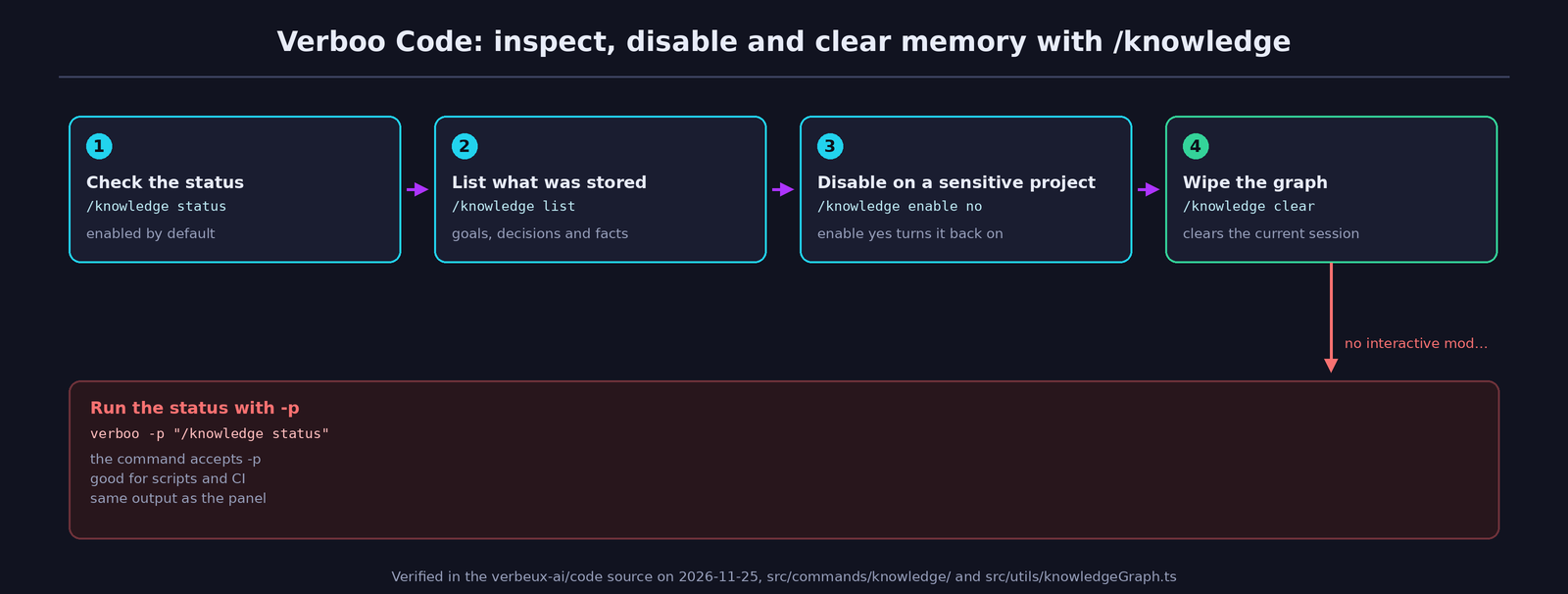
Four: status, list, enable and clear. With no argument it assumes status.
| Subcommand | What it does | When to use it |
|---|---|---|
/knowledge or /knowledge status | reports ENABLED or DISABLED and counts goals, milestones and technical facts | first thing to run on an inherited project |
/knowledge list | prints the arc summary and the project graph | when you want the content, not just the totals |
/knowledge enable no | writes knowledgeGraphEnabled: false to the global config | projects with secrets, client work under NDA, shared machines |
/knowledge enable yes | turns the engine back on | after the sensitive project |
/knowledge clear | resets the session arc and deletes the persisted graph of the current project | when you want to start over with no history |
How do you check whether the engine is on and how much is stored?
Run /knowledge with no argument. The answer gives the engine state and the counts in one line.
/knowledge status

Knowledge Graph Engine: ENABLED
• Stats: 3 goals, 7 milestones, 128 technical facts learned
The state comes from knowledgeGraphEnabled in the global config, and the default is on: it only reads DISABLED if someone turned it off explicitly. The numbers come from the current conversation arc and the project graph, so in a freshly opened session they reflect what was already stored before.
How do you list what has been learned?
With /knowledge list. The output is long and arrives in blocks: the conversation phase and how many goals were completed, a graph snapshot with the ten most recent entities, the first five project rules, and then the full graph when it holds fewer than 100 entities.
/knowledge listThe two blocks are formatted differently, and it helps to know which is which. In the snapshot, attributes come in parentheses:
Knowledge Graph Snapshot (Most Recent):
- [path] /srv/app/src/queue (type: absolute)
- [version] v22.11.0 (semver: 22.11.0)
- [technology] React (category: frontend)

Project Rules:
- never commit directly to main
In the full graph, the same entity shows up with colons and key=value:
--- Full Project Knowledge Graph ---
- [path] /srv/app/src/queue: type=absolute
- [version] v22.11.0: semver=22.11.0
- [technology] React: category=frontend
That is the picture the model gets. When the engine is on, the graph summary is appended to the system context alongside your message, so listing here is how you see what the next session will inherit.
How do you turn memory off on a sensitive project?
With /knowledge enable no. Accepted values are yes/true or no/false; anything else returns the usage line.
/knowledge enable no
✨ Knowledge Graph engine disabled.
There is a catch worth knowing before you rely on it: the switch is global, but the graph is per project. What lands on disk is separated by working directory, while the switch that turns the engine off is a single key in the user config. Disabling on one project disables it for every project on that machine. If the intent is only to avoid recording in one repository, the path is to disable before opening a session there and re-enable afterwards, or run clear on the way out.
How do you delete what is already stored?
With /knowledge clear. It resets the conversation arc and restarts the project graph.
/knowledge clear
🗑️ Knowledge graph memory has been cleared for this session.
The message says session, but the effect is wider: the command deletes the persisted files of the current project, not just the in-memory state. In practice, after a clear, the next session in that directory starts with no inherited facts.
Where does that graph live?
Inside the project folder, in three files with different jobs. The folder takes the working directory path with everything that is not a letter or digit replaced by a hyphen.
| File | Role |
|---|---|
knowledge_graph.json | the readable graph: entities, relations, summaries and rules |
knowledge.db | the same graph in SQLite, with -wal and -shm next to it |
knowledge.orama | the search index used to retrieve memory by relevance |
# the project directory becomes the folder name
/root/dev/api  ->  ~/.claude/projects/-root-dev-api/

ls ~/.claude/projects/-root-dev-api/knowledge*
knowledge.db  knowledge.db-shm  knowledge.db-wal
knowledge_graph.json  knowledge.orama
Worth knowing: the projects folder is shared with the ~/.claude ecosystem on purpose, to interoperate with /resume. That means deleting a project from there also touches session history. If the goal is only to clear memory, use /knowledge clear instead of removing the folder by hand.
Can you run it without interactive mode?
Yes. The command is marked as supporting non-interactive execution, so its output can be captured in a script.
verboo -p "/knowledge status"That is useful in a CI hook or a machine setup script, where you want to confirm the state before running the agent. An invalid subcommand breaks nothing: the reply lists the four accepted ones, enable, clear, status and list.
What is the right order?
Status, list, decision. Checking whether it is on costs one command; listing shows whether the inherited graph helps or gets in the way; only then does disabling or wiping make sense. Wiping before looking is the one step with no way back, because that project's history goes with it.
If you have never looked at what your session kept, type /knowledge list in Verboo Code and read the output. Thirty seconds tells you whether the project graph is helping the agent or carrying junk from an old session.